How to Check the Order Status?
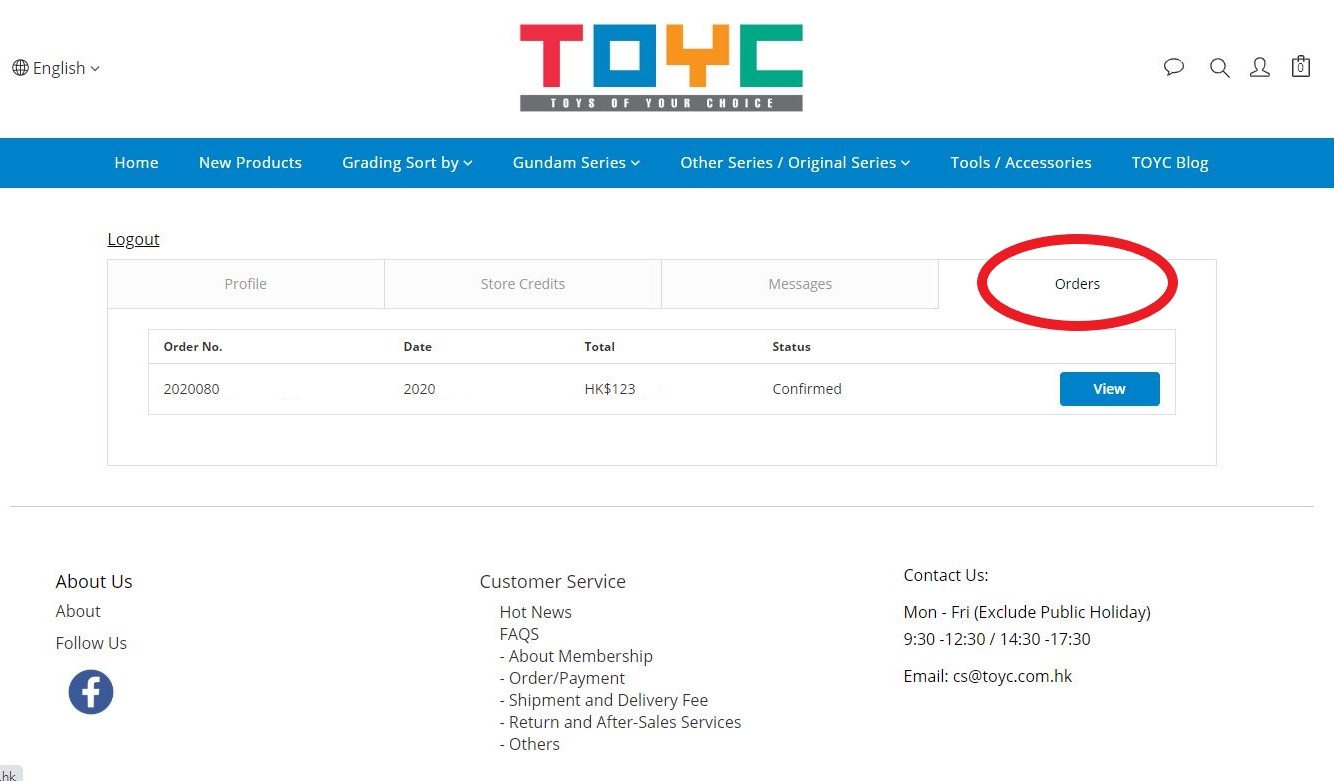
1. To check your order status, please click the “Sign In” icon in the upper right-hand corner, and follow the steps to sign in. Upon signing in please click "My Account" and then click “Order”.
2. You can click the corresponding order number shown in the “Orders” page for more information about the order status.
Attention: If customers’ order including pre-order items, please noted that the whole order will be delivered together according to the last arrival date of the pre-order item(s). The arrival date of pre-order item(s) shall be subject to the official launching date.
If you have any inquiries, please consult the TOYC Customer Service by email as below.
Email : cs@toyc.com.hk
Office Hours : Mondays – Fridays (excluding public holidays) ; 9:30 -12:30 & 14:30 -17:30